Specs
Price and Availability
image viewer


  /includes  
 
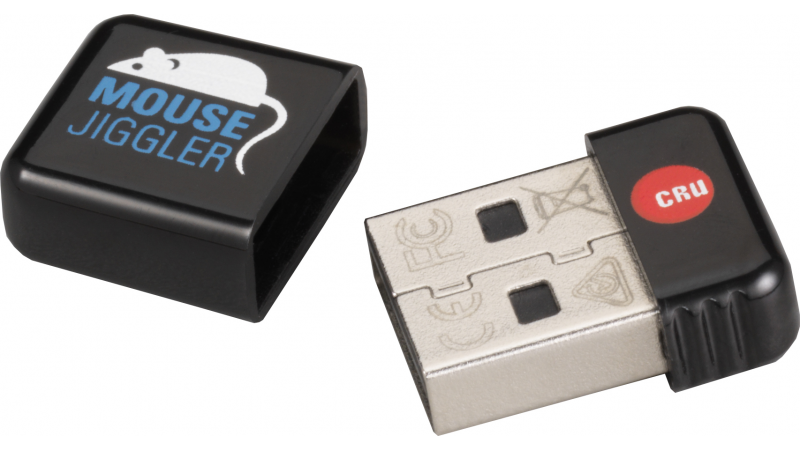
  • (1) Mouse Jiggler


SilverSATA II SR

Up to 1.5 Terabytes - automatic hardware RAID 0/1 (for protection or speed)


ProSATA SS8

Up to 6 Terabytes - UltraSCSI 320, Lots of RAID options


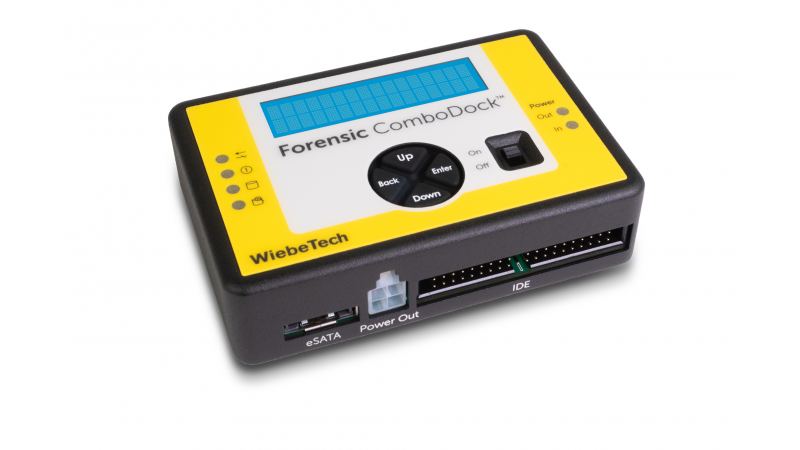
ComboDock

Quickly connect to bare hard drives


ToughTech XE

All aluminum drive case with eSATA, FireWire and USB connections AND shock absorbers
 
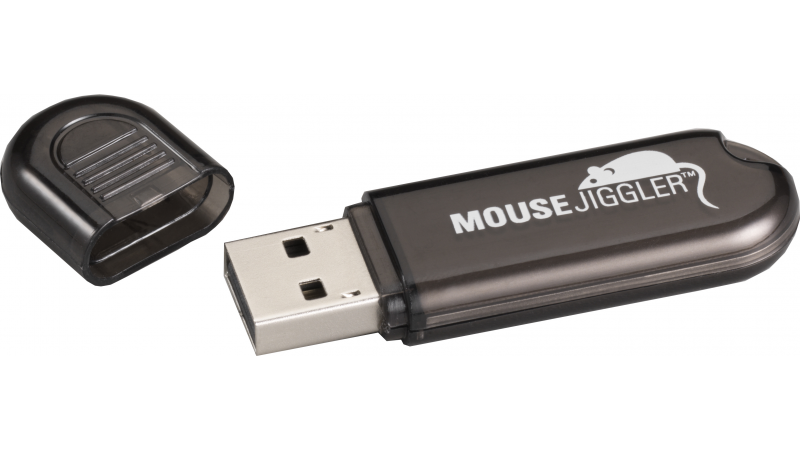
text=Mouse Jiggler™

Prevents a computer from going to sleep while you work or play


Constant mouse activity prevents sleep mode and screen savers (and their password prompts)


Special News - April 9, 2007
Our cases are in and they're beginning to ship. They look great, and the feedback so far has been fantastic.

- April 19, 2007
Engadget, Digg, MacNN, Macworld, and more picked up the story of Mouse Jiggler, which caused a rush on this product. Currently this product is shipping without delay.

- April 19, 2007
Thanks for the emails! Most of the questions boil down to those covered in this FAQ.

- October 31, 2007
Most customers of Mouse Jiggler did not know this, as many non-forensic uses for Mouse Jiggler have been found - but Mouse Jiggler was originally released in tandum with a classified product, HotPlug, which is a tool for moving computers without unplugging them. We have now declassified HotPlug.

Mouse Jiggler Simulator
8:17 AM - The Prank
Phenton Mills arrived to work early to earn his revenge. For months, Brutus Stedlesky (the office bully) had been pulling pranks on Phenton... moving his TPS reports, replacing his office supplies with ransom notes, or changing the language settings on his phone to Japanese. But not today - today belonged to Phenton. Like a secret agent, Phenton found an unused USB port on Brutus' computer, and walked away with a smile on his face.

8:42 to 9:18 - Yelling
Brutus, finally putting other distractions aside, decides to log a few hours on his favorite "work application" Solitaire before lunch and is met with a computer mouse best described as "going crazy". "What the...," he said, starting out innocently enough, but the sounds coming from his cube soon gave way to a strange mixture of grunts and reboot sounds.

9:32 - An exasperated phone call
"I told you, I can't click on Properties, the mouse keeps moving!" Brutus cried into his phone. Phenton laughed as the IT department decided - for whatever reason - to not hang up on him. They were well aware that he mainly used the computer to forward spam around the company, and would normally ignore his request in favor of more important office workers, if the problem didn't sound so amusing.

9:57 - A Visit from IT
Brutus left (crying?) for a midday break about the time the IT guys came. One of them recognized the activity, reached behind the computer and unplugged a small thumb-drive sized device, at which point the mouse instantly stopped convulsing.

"It's a WiebeTech Mouse Jiggler. Not all of them are this caffeinated and hyper - we use the slow version so we can keep using the computer while it's plugged in. You barely notice it's there."

"Why would someone need these?" someone said from the growing crowd now gathered around the USB 1.1/2.0 peripheral.

"Any time we don't want a screen saver to come on," the IT guy replied. "Which is more often than you'd think. Many Computer Forensics professionals swear by these to keep a password dialog box from popping up on a seized computer, so they can gather evidence. They come in handy when we're trying to download an update for a computer. Even though office policy requires our workstations to have a screen saver - they can mess up an installation."

10:12 - Phenton, a hero
A distraught Brutus with red eyes and a stuffy nose emerged from the bathroom to hear cheers for Phenton, who was smiling and clutching a tiny WiebeTech device. The throng carried him away... to the 7th floor, to get revenge on the evil receptionist Sheila Blightbringer, who was always making sure phone calls were sent to the wrong people. Brutus swore under his breath to never mess with Phenton Mills again.

text=Features&s=10

Mouse Jiggler

Constant mouse activity causes computers to not go idle, thus preventing sleep or screen savers from activating.

No new software is installed or required. Mouse Jiggler registers as a Human Interface Device (HID).

LED - A single LED will count off the number of minutes Mouse Jiggler has been working.

Fast Version

Constant large motions makes it obvious at a glance to the screen that Mouse Jiggler is working.

Slow Version

Constant small motions allow you to use the computer while Mouse Jiggler is working.

Who uses Mouse Jiggler?

Computer Forensics Investigators use Mouse Jiggler to prevent password dialog boxes due to screen savers or sleep mode.

IT Professionals use Mouse Jiggler to prevent password dialog boxes due to screen savers or sleep mode after an employee is terminated and they need to maintain access to a computer.

IT professionals or office workers use Mouse Jiggler when downloading/installing programs to keep overactive screen savers from interfering.

Few can resist watching the reaction of a coworker encountering the fast Mouse Jiggler for the first time.


text=Specifications&s=10

Interface

USB 1.1/2.0

Operating System

Windows, Mac OS - HID Compliant Operating Systems

Due to differences in mouse drivers, Mac OS and various versions of Windows will treat Mouse Jiggler slightly differently. The intent and purpose is the exact same, but the behaviour on screen can be different -- usually to the tune of a small drift to one direction.

On many versions of windows, the slow version will keep the mouse in one place - on Mac OS X, the slow version will have a slow drift directly to the right. The drift is slow enough that the computer is still easily usable.

Operating Temperature

50° - 85° Fahrenheit (10° - 30° Celsius)

Operating Humidity

5% to 85%, noncondensing

To Top
text=Pricing and Availability&s=10
This item is not currently available. It has either been discontinued (old items), or it is not yet shipping (new items).
Product Product Code Price Availability
Mouse Jiggler MJ-1 (automatic mouse activity dongle -- slow heartbeat so you can continue using the computer), packaged for retail sale30200-0100-001117.00
In stock
Mouse Jiggler MJ-2 (automatic mouse activity dongle -- fast heartbeat), packaged for retail sale30200-0100-001217.00
In stock
10-pack of Mouse Jiggler MJ-1 (automatic mouse activity dongle -- slow heartbeat so you can continue using the computer), bulk-packaged30200-0100-0021143.00
In stock
10-pack of Mouse Jiggler MJ-2 (automatic mouse activity dongle -- fast heartbeat), bulk-packaged30200-0100-0022143.00
In stock
We've recently changed our part number scheme - click the new part number for the old equivalent.
Due to current high demand of WiebeTech products, your order may take 3-5 days to ship.
To Top
email us

news
more news

First Class Tech Support

We don't want anything to go wrong with your WiebeTech product. But if it does, Tech Support is standing by and ready to help. We offer 90 days of free phone support and online assistance to help you get the answers you need.


Tested And Formatted

When you buy a drive from WiebeTech, we go the extra mile to make sure your product works for your computer. Before your order is shipped, it is individually tested and formatted to your needs whether it is Mac, PC or both.

CRU DataPort Logo